


Kids Multiplication Math Games
4.7315.00 Reviews
App Specs
- Version
- Varies with Device
- Updated On
- License
- Free
- Downloads
- 10,000,000+
- Developer
- RV AppStudios
- Categories
- Educational
- Platform
- Android, iOS
Screenshots
 Analysis by AppCompare
When I look at a children’s maths game, I want it to do more than keep a child tapping through bright screens. It should make practice feel approachable while leaving room for an adult to notice what is getting easier and what still needs attention. Kids Multiplication Math Games aims at that useful middle ground: playful enough to invite a young learner in, but focused on building confidence with multiplication. I’d consider it for short practice sessions at home or as a small extra alongside classroom learning, rather than as a replacement for teaching.
Who is likely to get the most from it
This educational game from RV AppStudios is most relevant for children who are beginning to work with multiplication or need more repetition than a worksheet alone provides. Its intended audience is young learners, and its Everyone age rating reflects that broad, family-friendly positioning. The game is free, which makes it easy to try as a supplement before deciding whether it fits your child’s routine. Its average rating is 4.6 from around 24,000 ratings, and it has over 10 million installs; those figures suggest plenty of families have tried it, though they can’t tell you whether its style will suit one particular child.
I’d especially consider it for a child who responds well to quick, self-contained activities and enjoys getting a clear sense of progress. A child who finds repeated sums tedious may be more willing to return when practice is presented as play. On the other hand, if your child is not yet ready to connect groups of objects with multiplication, I’d start with concrete items, drawings, or a patient adult-led explanation. A game can reinforce a concept, but it cannot reliably stand in for that first explanation.
A practical way to fit it into the day
Picture a child finishing a snack while a parent gets dinner ready. Instead of handing over a device for an open-ended stretch, I’d make the session a brief practice window: let the child choose an activity, stay nearby for the first few rounds, and ask them to explain one answer aloud. That small pause is useful. A correct tap shows a result; explaining why it is correct gives you a better sense of whether the child understands the multiplication or is guessing from familiar patterns.
I’d also use the game after a school lesson rather than immediately before homework that needs sustained concentration. A short game can provide a change of pace, while a longer session may turn something meant to feel light into another task the child has to finish. If attention starts drifting, stopping on a positive note is often more useful than pushing through. The practical benefit is not simply screen time with a maths label; it is having a low-pressure prompt for a few minutes of deliberate practice.
How it fits beside worksheets and other maths games
Compared with paper worksheets, a game has an obvious advantage for children who need interaction and immediate engagement. A worksheet can be easier for an adult to review at a glance and can encourage writing out working, but it may not hold the interest of a reluctant learner. This app offers a more playful route into repetition. I would use the two formats for different jobs: the game to make practice inviting, then a few spoken or written problems to check that the skill carries over when there are no animations or rewards.
Compared with broad early-learning apps, a multiplication-focused game has a narrower purpose. That focus can be helpful when a child is specifically practising times tables, but it is not the right single choice for families seeking a wide programme covering reading, number sense, and other school topics. Nor would I choose it as the main option for an older student who needs multi-step arithmetic, formal explanations, or a structured curriculum. The best comparison is not “which app has more features?” but “what skill are we trying to practise today?”
Worth Reading Before You Choose

Flipboard Shows What News Apps Must Do Beyond the Feed

Switching to Android Auto Means Rethinking Your Driving Routine

Google Calendar Makes a Crowded Week Easier to Manage

Ludo King Makes the Most of the Minutes Between Plans

Baby Panda World Brings Quick Play to Modern Phones, but Its Game Library Feels Busy

ESPN’s Live Game View Makes Following Close Games Easier
Small choices that make practice more useful
One useful habit is to treat rewards as a doorway into practice, not as proof of mastery. A child may be motivated by earning a badge or seeing a cheerful response, but adults should still listen for understanding and revisit missed facts later. I’d avoid turning a reward into a bargain—“you must finish this many rounds”—because that can make a playful activity feel like a test. Let the child enjoy the feedback, then connect it to a real-world example, such as counting equal groups of fruit or toys.
Another practical choice is to alternate between independent play and a quick adult check-in. Let the child try a few questions without interruption, then ask them to describe how they worked out one answer. If they can explain a pattern, that is a stronger sign of learning than simply moving quickly through a screen. If they cannot, you have a clear cue to slow down and use objects or a drawing before returning to the game. This approach makes the app a useful observation tool for a parent, even when the child is the one doing the tapping.
I would also keep sessions predictable rather than leaving the app available as an unlimited default. A simple routine—after a lesson, during a quiet moment, or before another activity—helps the child understand that this is focused practice. It also gives adults a natural chance to notice whether the child is becoming more confident or merely repeating the same comfortable material. If the game stops feeling engaging, a short break or a switch to hands-on practice is better than insisting that every session end with a score or reward.
Getting Started with Fun Learning
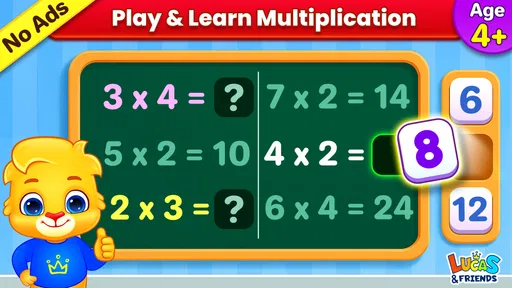
First off, downloading Kids Multiplication Math Games was a breeze. It’s available on both Android and iOS, so no worries there. Once you fire it up, you’re greeted with a colorful interface that screams fun. The navigation is super intuitive, making it easy for kids to dive right in without too much guidance from adults.
Interactive Gameplay That Engages
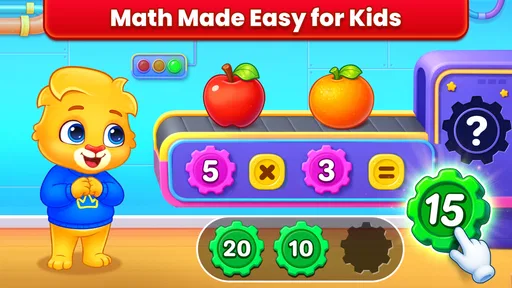
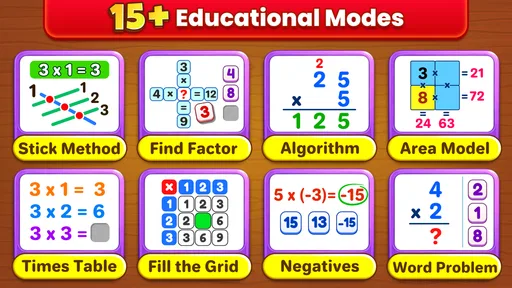
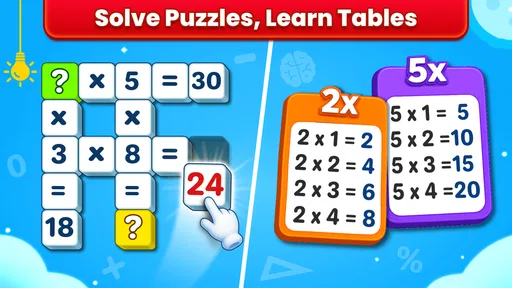
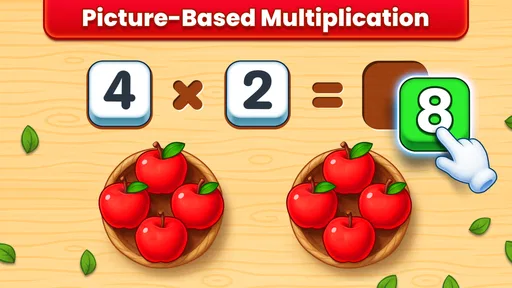
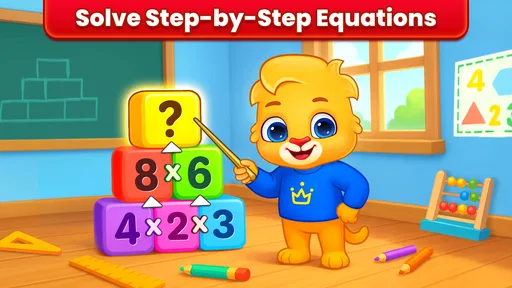
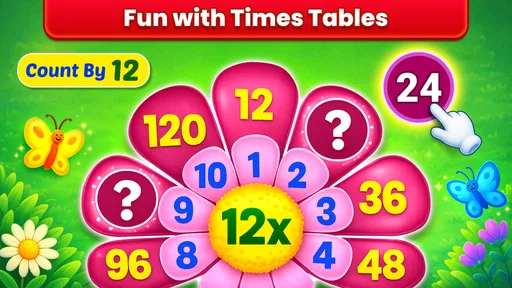
What I absolutely love about this app is how it turns learning into a game. The developers have done a stellar job of integrating mathematical concepts into engaging activities. From quick-fire quizzes to puzzle-like challenges, there’s a variety of games to keep the kiddos hooked. Plus, the app uses vibrant graphics and cheerful animations, which really helps in retaining their attention.
There’s also a neat feature where kids can earn rewards and badges. These little incentives work wonders in motivating them to play more and, consequently, practice more. It's like a win-win for fun and education!
Customizable Learning Paths
One of the standout features is the ability to customize learning paths based on your child’s level. You can adjust the difficulty settings, which is great if your kiddo is just starting with multiplication or needs a bit more of a challenge. I found this particularly helpful because every child learns at their own pace, and having that flexibility is key.
Parents and teachers can also track progress. The app provides detailed insights into areas where a child excels or might need a little extra help. This means you can tailor the learning experience, focusing on areas that need improvement, without overwhelming them.
User Experience and Design
Design-wise, the app is pretty slick. The creators have opted for a bright and friendly theme that’s appealing to kids. The buttons are large enough for tiny fingers, and the sound effects are just the right level of fun without becoming annoying (trust me, that’s a big plus!).
And it loads quickly, which means less waiting and more learning. The app doesn’t bombard you with ads, which is a huge relief. There are in-app purchases, but they're not intrusive, so you can still enjoy a lot without spending extra.
What to keep in mind as your child progresses
For a child who has just started multiplication, I’d use the adjustable difficulty described above to keep early practice manageable, then raise the challenge only when the basics feel comfortable. The aim is to avoid two common frustrations: questions that are so easy they become automatic tapping, and a sudden jump that makes the child feel lost. A parent can help by checking how the child responds rather than assuming that faster play always means the level should go up.
The progress information can help guide that choice, but I would treat it as a conversation starter, not a complete picture of a child’s ability. A screen can show where answers are going well or where extra practice may be useful; it cannot tell you whether a child can apply multiplication to a new problem outside the game. I’d pair what I see in the app with a couple of fresh examples asked aloud, especially if a child seems to be relying on memorized sequences.
For teachers, the most sensible role is as an optional practice station or a short activity for a learner who benefits from a more playful format. It may be less suitable as a whole-class activity if the goal is to hear every student explain their reasoning, since individual screen play does not automatically create a group discussion. I’d use it to give some pupils a focused task, then bring the class back together to compare strategies or talk through a tricky multiplication fact.
What the product’s history does—and does not—tell me
The game was released on April 1, 2019, and it supports Android 6.0 or later. That release date gives a useful point of context: this is an established title rather than a brand-new arrival. It does not, by itself, prove that the game has changed in any particular way since launch, so I wouldn’t infer a feature update or a new teaching method from its age alone. The practical takeaway is simply to check that the device meets the operating-system requirement before planning to use it.
For existing users, an established app can be reassuring when a child already knows the routines and is happy to return to them. At the same time, families should judge the current experience by what they see on their own device, not by assuming that a long-running title has recently added something or will keep changing in a particular direction. If you are choosing it now, focus on whether its multiplication practice, adjustable difficulty, and progress view match the child’s needs today.
Where I’d draw the line
This would not be my first choice for a child who needs detailed teaching before practice, a curriculum that spans several subjects, or a way to show written working step by step. A game can make repetition less dull, but a teacher, parent, workbook, or hands-on activity may be better when the child needs to understand what multiplication represents. It may also be a poor fit for a child who finds animated feedback distracting or who becomes overly focused on rewards rather than the maths.
There is a trade-off in making practice entertaining: the child may be eager to play, but enjoyment alone does not guarantee durable learning. I’d watch for whether they can answer without relying on familiar screen cues and whether they can use the same fact in a different context. If that transfer is not happening, I would pause the game and explain the idea with equal groups or repeated addition before trying again. That is not a failure of the app; it is a sign that the child needs a different kind of support at that moment.
What I’d look for during a first try
On the first day, I’d sit with the child long enough to see whether they can navigate independently, understand what a question is asking, and stay comfortable when they get something wrong. Then I’d let them try a short session on their own while remaining available. This gives a better answer to the practical question parents often have: can a child use it without constant help? The simple interface may make that possible for many young learners, but a first look together is still a sensible way to set expectations.
I’d also check whether the available activities feel varied enough for that particular child and whether the adjustable challenge actually keeps them engaged. Some children like quick quizzes; others need a slower explanation or a physical object to make the idea click. If the child enjoys the game but still needs help understanding the maths, keep it as one small part of a broader routine rather than expecting it to do all the teaching. If the app’s approach does not hold their attention, there is little value in insisting on it just because it is educational.
Why It’s a Game-Changer
So, why do I think Kids Multiplication Math Games is a game-changer? Simply put, it combines the best of both worlds: education and entertainment. In a world where screen time is often frowned upon, this app turns it into something productive. It’s a smart way to make sure your child is not just playing mindless games but actually learning something valuable.
Moreover, it’s perfect for both individual play and group activities. Whether your child is playing alone or with friends, the app creates an environment that encourages healthy competition and cooperation.
Final Thoughts
All in all, Kids Multiplication Math Games is a fantastic tool for any child looking to sharpen their multiplication skills. It’s engaging, educational, and above all, fun. The app does a wonderful job of making math less intimidating and more of a game, which is exactly what young learners need.
If you're on the hunt for an app that balances learning and fun, give this one a shot. Trust me, your kids will thank you for it!
Pros
- Engaging visuals keep children interested.
- Adaptive difficulty levels suit various ages.
- No ads ensure a distraction-free experience.
- Includes progress tracking for parents.
- Encourages healthy competition with leaderboards.
Cons
- Limited to multiplication; lacks other math topics.
- Requires in-app purchases for full access.
- Some animations may be slow on older devices.
- No multiplayer option for collaborative play.
- Doesn't support offline mode for all features.
FAQs for Kids Multiplication Math Games
What age group is Kids Multiplication Math Games suitable for?
Kids Multiplication Math Games is designed for children aged 6 to 12. The app provides various levels of difficulty to cater to different learning stages, ensuring that younger kids can grasp the basics while older children can refine their skills. It’s a versatile tool for elementary school students.
Does the app require an internet connection to function?
No, Kids Multiplication Math Games can be used offline. Once downloaded, the app doesn’t need an internet connection, making it perfect for use during travel or in areas with limited connectivity. However, some features, like progress tracking, may require periodic online updates.
Are there any in-app purchases or ads?
The app offers a free version with basic features, supported by ads. For a small fee, users can upgrade to the premium version, which removes ads and unlocks additional content and advanced levels. This structure allows flexibility depending on the user’s preference for an ad-free experience.
How does the app make learning multiplication fun?
Kids Multiplication Math Games incorporates colorful graphics, engaging animations, and interactive challenges to make learning multiplication enjoyable. The app includes mini-games, rewards, and a points system to motivate children, ensuring they remain interested while improving their math skills through play.
Can parents track their child’s progress within the app?
Yes, the app includes a feature for parents to monitor their child’s progress. It provides detailed reports on performance, highlighting strengths and areas for improvement. This feature helps parents stay informed and support their child’s learning journey effectively.


